My Timber Pets Progress Checklist
Two-minute pass before you AFK or after a patch. Empty pads do not count as done.
Use this checklist as a tool, not as lore. Run it at the start of a session, after a long AFK, and after anything on the updates hub. If a box is false, stop and fix it before you buy a flashy floor. The matching guides are linked in each section.
This is not a completionist dex. You can 100% the useful island without the 1/67Qn fox.
1. Account and place
- Joined from the official Roblox page (place
111035930019117). - On a public server, not a copycat thumbnail world.
- WingBrain group joined (optional, for shouts).
- Graphics low enough that you can click pads on extra floors.
2. Tutorial
- Welcome badge exists (you spawned).
- Tutorial Completed badge exists.
- You can move, open the shop, and see a logs counter.
- If stuck in overlay, rejoined once.
Details: Getting Started.
3. Staffing (do this every session)
- Every planted tree has an animal.
- No animal you care about is sitting only in the collection menu.
- Best animal is on the best tree (best crew).
- New floor pads are not empty (unlock floors).
If any box fails, fix assignment before spending. This is the S-tier free upgrade on the upgrades tier list.
4. Forest
- At least one upgrade past the green cube if you can afford it.
-
/srose after the last tree purchase. - You are not about to AFK one click short of a tree you can buy.
Guide: upgrade your forest.
5. Crew stats
- Animals are moving, not frozen on a full pile.
- Carry bought if they were frozen.
- Chop speed bought if they move but
/sis still tiny. - Extra slot bought only because a tree was empty.
Guide: upgrade your crew.
6. Floors
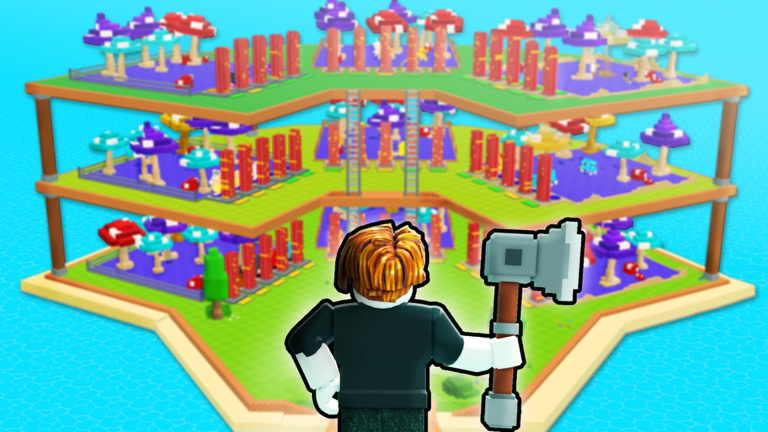
- Current story is full before you buy the next.
- Ladders used to plant and assign, not just to screenshot.
- You can still tap pads on mobile after the extra story.
If you bought a story and cannot staff it, treat the box as failed until commons are assigned.
7. Rolls and rares
- Roll bursts are short.
- Winners assigned before losers leave the tree.
- Fox / snake / mystery pulls compared on tooltip, not hype (animal tier list).
- Unclear items (red log art) kept, not deleted (animal index).
- Auto-equip rarity is off unless you proved rarity equals rate.
Guide: rare animals.
8. Codes and patches
- Codes hub checked this week.
- Redeemed strings pasted exactly (how to redeem).
- Rewards spent on a staffed tree or carry, not an empty floor.
- After a patch, assignments re-checked.
9. AFK leave state
- All boxes in section 3 are true.
- Shop has no cheap S-tier buy sitting unpurchased.
- You are not parked on the roll button.
- Mobile battery saver is off if the client will stay open.
- You know you will rejoin to spend a possible offline cap.
Guide: how to farm AFK.
10. Things this checklist will never require
- A script. None dedicated were listed on 1 Sep 2026 (scripts).
- A Robux pack.
- Trading with a stranger in a six-player server.
- Hitting 1/67Qn as a weekly goal.
How to use it after a long break
Start at section 1, skip 2 if badges are already owned, then treat section 3 as mandatory. Launch-week players from 22 July 2026 and new September players run the same list. Palaces do not skip staffing.
If you can tick 3, 4, 5, and 9, you are playing My Timber Pets correctly. Everything else is optional depth. Keep this page next to the tools hub and actually tick the boxes. A checklist you do not look at is just another unstaffed floor.
Frequently Asked Questions
Quick answers for My Timber Pets on Roblox.
How often should I run this checklist?
Every session start, after AFK, and after patches. Section 3 is the one you never skip.
What if I cannot tick forest yet?
Stay on staffing and the first cube tree. Getting Started is enough until you can afford a buy.
Does a rare fox complete the list?
No. A fox in storage does not staff trees. Assign it only if the rate wins, then tick section 3.
Is there a printable version?
This page is the printable version. Use the tools hub if you want the shorter spend order beside it.