How to Redeem My Timber Pets Codes
Find the box, paste the live string, and spend the reward on the next real upgrade.
Redeeming a code in My Timber Pets takes under a minute once you know which HUD button opens the box. The game is a Roblox idle tycoon, so the redeem UI is easy to miss while you are watching animals chop. This page is the click-by-click path. Pair it with the live list on the codes hub so you never paste an expired string.
WingBrain has not published a labelled screenshot of the My Timber Pets codes button as of 1 September 2026. The steps below follow the pattern used by similar idle tycoons on Roblox and will be tightened the moment an in-game label is confirmed. If your HUD uses a different icon, the troubleshooting section still applies.
Step-by-step redeem
- Launch My Timber Pets from the official Roblox page and wait until your island loads. Codes usually will not accept input during the first tutorial overlay.
- Finish or skip far enough that you can move and open menus. The Tutorial Completed badge is a useful checkpoint; see Getting Started if you are still locked in dialogue.
- Look at the left and top edges of the HUD. Idle tycoons typically hide codes behind a gift box, a Twitter / X bird, a shop tab, or a gear / settings cog. Tap each once rather than assuming it is only cosmetics.
- Find a text field labelled Code, Enter Code, or Redeem. Tap it so the mobile keyboard or desktop cursor appears.
- Paste the string exactly as it appears on the codes hub. Do not add spaces, do not change case, and do not translate it.
- Press Redeem, Claim, or Submit. A success toast should add logs, a boost, or an animal to your inventory.
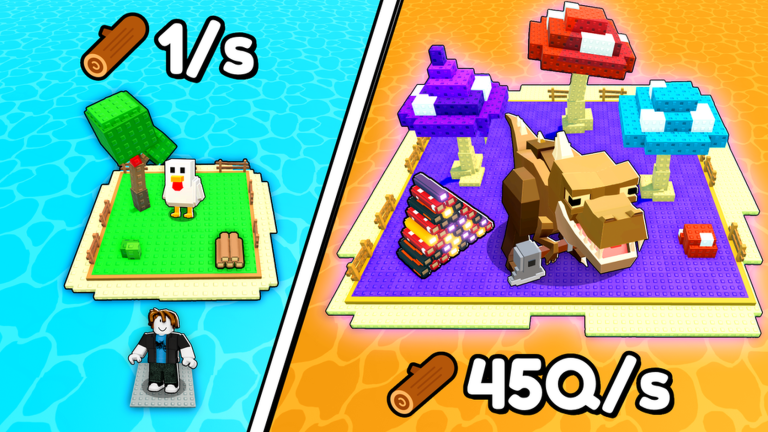
- Spend the reward immediately. A pile of logs sitting idle while a chicken chops a green cube tree is a wasted drop. Route logs into forest upgrades or a staffed floor.
If the box is missing entirely, the game may not have enabled codes yet. That matches the empty list on the codes hub. Keep playing; do not install a “code generator” from a random site.
Desktop versus mobile
On desktop, Ctrl+V / Cmd+V is more reliable than retyping a mixed-case string. Click the field once so Roblox actually focuses it. Some experiences eat the first paste if a movement key is still held down.
On mobile, long-press the field and choose Paste. Auto-correct will try to turn UPDATE1 into a real word. Disable auto-correct for that paste or switch to a password-style field if the game offers one. Landscape mode makes the gift icon easier to see on small phones.
Xbox and PlayStation players should open the on-screen keyboard from the text field, then type slowly. Analog stick typos are the main reason console redeems fail.
What a successful redeem looks like
A working code usually does one of four things:
- Adds a lump of logs or cash. Dump it into the next tree or crew upgrade, not into a floor you cannot staff. The upgrades tier list ranks those sinks.
- Grants rolls. Stop and read how to get rare animals before you mash the red button. Official art shows 1/67Qn style odds on a kitsune reveal; extra rolls do not change the fact that most pulls are common.
- Starts a timed boost. Stay in the session until it ends. An AFK boost is still useful, but an active luck boost is wasted if you teleport out.
- Unlocks a named animal or cosmetic. Open your crew list and confirm it equipped. Then compare it with the animal index before you replace a dinosaur-style earner with a cute common.
If the toast says success but you see no logs, reopen the inventory and the currency counter. Some Roblox tycoons credit the reward on the server with a one-second delay.
Codes not working
Work through this list in order:
- Expired. If it is not on the working table of the codes hub, assume it is dead.
- Already redeemed. Most Roblox codes are once per account, not once per server.
- Wrong game. Timber!, Timber 2, and other lumber titles will not redeem here.
- Typo. Capital
Oversus zero,lversusI, and hidden spaces from a screenshot OCR are common. - Tutorial lock. Close the tutorial overlay, then open the box again.
- Private server or VIP. My Timber Pets does not advertise VIP servers on the Roblox listing. If you joined through a weird link, return to the official place ID
111035930019117. - Slow network. Wait five seconds after pressing Redeem. Double-tapping can throw a false error.
If every live code fails for every player, the redeem remote is probably down after a patch. Check the updates hub and try again after a rejoin. Do not spam twenty variants of the same string; that will not help and can rate-limit the remote.
Safety
Never enter your Roblox password into a “code site.” Never download an .exe or executor because someone promised a secret code. The scripts hub and script safety pages exist for a reason: My Timber Pets had no listed dedicated scripts on the usual boards on 1 Sep 2026, so anyone selling a “code unlocker” is not offering a real tool.
Official sources are the Roblox game page, the WingBrain group, and this wiki after we verify a string. If a code asks you to trade an animal to a stranger or to enable HTTP requests, it is not a promo code.
After you redeem
- Screenshot the success toast in case a reward is delayed.
- Put logs into staffed trees first, then crew upgrades, then extra floors.
- If you received rolls, decide keep-or-replace using the animal tier list and best crew notes.
- Return to the codes hub later the same week. Idle games often drop a second string when a like goal completes.
Codes are a shortcut, not a substitute for leaving animals on trees. The island still has to chop while you are AFK. Once the box is empty, go back to how to play and keep the loop moving.
Frequently Asked Questions
Quick answers for My Timber Pets on Roblox.
Where is the codes button in My Timber Pets?
Check gift, shop, and settings icons on the left HUD. The exact label was not documented in official art as of 1 Sep 2026; this page will name it once it is confirmed.
Can I redeem the same code twice?
Almost never. Roblox promo codes are one redeem per account. A second attempt usually returns an already-used error.
Do I need to be in a public server?
Use the official place. My Timber Pets lists no VIP servers. If a code fails, rejoin from the [Roblox game page](https://www.roblox.com/games/111035930019117/My-Timber-Pets).
What if there are no codes yet?
Play the loop on Getting Started and check the codes hub after updates. Do not buy a fake generator.